
FaceMagic: AI Videos & Photos
AI CreationEntertainment
2.11.68K Reviews
- Version
- 2.6.12
- Installs
- 1.00M
- Age Rating
- Teen
Screenshots
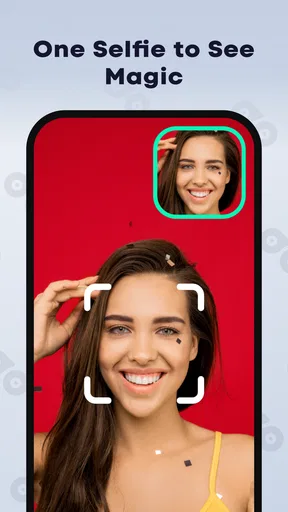
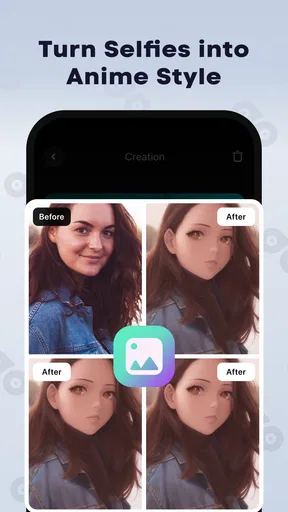
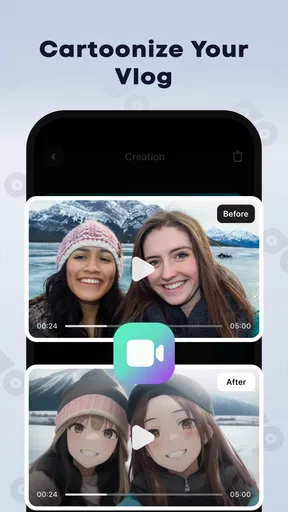
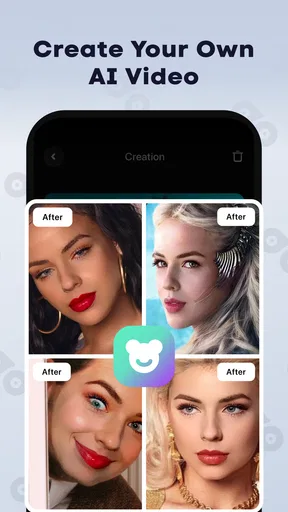

Our Review of FaceMagic: AI Videos & Photos
 Analysis by Appyee
I tend to judge face-editing apps by a simple test: can I make something amusing without turning a quick idea into a long editing project? FaceMagic is aimed at that kind of casual creativity, letting people place a face into photos and videos. It is an entertainment app from AI Creation, and its appeal is less about precise, professional retouching than about making a playful result to share. That focus is also where I would set expectations: it can be fun, but the process and output may not suit every image or every user.
Where the first attempts can get stuck
With an AI face-editing app, the most satisfying result usually depends on choosing a suitable source face and a suitable clip, not simply pressing the create button. A clear, well-lit face is a more sensible starting point than a dark, partly covered, or sharply angled one. Likewise, a clip with a relatively visible face gives the effect a better chance of looking coherent. These are practical editing judgments rather than a guarantee that every result will look natural.
I would start with one face and one short, uncomplicated idea rather than trying to make a complicated group edit as my first attempt. If the result looks off, changing the source photo may be more helpful than repeating the same process with the same image. Hair across the face, sunglasses, strong shadows, and unusual expressions can all make a face harder to read in an edit. That does not mean the app is broken; it means the source material may be a poor match for the effect.
It also helps to separate two questions: did the app finish processing, and do I like the result? A completed edit can still have awkward edges, a mismatch in expression, or a face that feels out of place in the scene. I would treat the first output as a quick experiment, not as a promise of a polished video. For a joke among friends, a slightly strange result may be part of the fun; for a carefully planned public post, it may be a reason to try another source or use a different editing approach.
A few setup checks before editing
FaceMagic: AI Videos & Photos is free to download, though it includes in-app purchases ranging from $1.99 to $199.99 per item. I would explore the basic experience before spending anything and pay attention to any purchase prompt so I know what I am choosing. The app is rated Teen, a useful reminder that its entertainment format does not automatically make every template or use appropriate for younger children.
It was released on May 18, 2021, and its current version is 2.6.8, with Android 7.0 listed as the minimum operating system. Before troubleshooting a problem, I would check that the device meets that minimum and that the installed app is up to date. These are ordinary first checks, not a fix for every issue, but they can prevent a compatibility mismatch from being mistaken for a problem with an edit.
For a smoother first try, I would also make sure I have a stable connection and enough free space to save a finished creation. Large media tasks can be less comfortable on a device that is already busy, so closing other demanding apps is a reasonable step if processing seems sluggish. I would avoid starting several edits at once: finishing one, checking it, and then moving to the next makes it easier to spot where a problem occurs.
Recovering a workflow when an edit disappoints
If an edit stalls or produces an unexpected result, I would first keep the original photo or video and try again with a simpler source. That gives me a clean comparison and avoids losing the material I wanted to work with. I would then reopen the app, check the connection, and retry once rather than repeatedly tapping through the same failed attempt. If the issue continues, restarting the device or checking for an app update is a sensible next step.
When the app opens but a particular face swap looks wrong, I would change only one variable at a time: use a clearer face photo, choose a different clip, or try a less demanding scene. This is more useful than changing everything at once because it tells me whether the issue is tied to the source face or the chosen media. A face that works well in one scene may not suit another, especially when the angle, lighting, or expression differs.
I would also check the saved result before sharing it. A preview that looks amusing on a phone screen may be less convincing when watched closely, and a quick review catches odd transitions or details I would rather not send to a group chat. If the result is only a casual gag, that may be enough. If it needs to look consistent and deliberate, I would be prepared to discard a few attempts instead of treating the first output as final.
When the phone or source media is the real obstacle
Not every slow or failed edit points to an app fault. A device near its storage limit, a weak connection, or several demanding tasks running in the background can all make a media workflow feel unreliable. I would check those basics before reinstalling anything, especially if other apps are also behaving slowly. Reinstalling can be disruptive, so I would make sure any original media I care about is stored somewhere safe first.
The source itself can be the limiting factor, too. A tiny, blurry photo gives an editing tool less detail to work with; a face partly hidden by a hand or hair leaves less visible information; and a scene with very different lighting can make a composite seem less natural. I would choose a straightforward portrait with the face unobstructed when testing whether the app can produce the kind of result I want. Once that works, experimenting with trickier images is more informative.
There is also a difference between a technical failure and a creative mismatch. If the app processes an edit but the expression or placement does not fit the clip, repeating the same source is unlikely to transform it into a convincing result. That is when I would change the pairing or accept that this particular idea may work better as a still image, a conventional cut, or a different kind of joke.
Who will enjoy it, and what to use instead
I can see this app working best for someone who wants a fast, light-hearted edit for friends, a group chat, or a casual social post. Imagine taking a break, choosing a familiar video from the app’s library, and making a quick face-swap version to share with a friend who will understand the joke. The appeal is the transformation itself, not building a detailed video from scratch. If that is what you want, a ready-made scene can reduce the effort of finding and editing your own footage.
It is less suitable for someone who needs exact control over timing, color, transitions, or the placement of every element. A conventional photo or video editor is usually the better choice when the goal is a carefully finished piece, because manual tools offer more direct control over the whole composition. FaceMagic’s automated approach is a trade-off: it can make a playful result accessible, but it cannot replace a full editing workflow when precision matters.
Compared with ordinary face filters, the key distinction is the kind of result I am seeking. A live filter is convenient for changing how a camera view looks in the moment; a face-swap workflow is more about fitting a face into existing photos or video scenes. Neither approach is automatically better. I would choose a simple filter for an immediate camera effect, a standard editor for detailed production, and FaceMagic when the central idea is to place a face into a scene for entertainment.
Privacy and consent deserve a little thought before sharing. A face can be recognizable even when the edit is meant as a joke, so I would use my own images or get permission before using someone else’s face, particularly in a post that could travel beyond a private conversation. I would also avoid presenting an edited clip as real footage. That small bit of care makes the app’s playful use less likely to create an awkward misunderstanding.
First Impressions and Getting Started
From the moment I downloaded FaceMagic, I could tell it was designed with user-friendliness in mind. The installation was a breeze, and within minutes, I was diving into its features. The interface is sleek and intuitive, making it accessible even for those who might not be tech-savvy. You’re greeted with a simple tutorial that guides you through the initial steps, which is super helpful.
Exploring the Features
Once you’re past the initial setup, the real magic begins. The app offers a variety of options to play with, from swapping your face into famous movie scenes to creating hilarious memes with your friends. The AI technology behind this app is quite impressive. It accurately maps your face onto videos and photos, maintaining a natural look that's both fun and slightly eerie.
One of the coolest features is the ability to use the app’s built-in library of videos and photos. Whether you want to see yourself as a hero in an action movie or a character in a trending meme, the app has something for everyone. You can also upload your own media, which opens up endless possibilities for creativity.
Performance and Usability
Performance-wise, FaceMagic runs smoothly on both Android and iOS devices. I tested it on a mid-range smartphone, and it handled the processing quite well. The app utilizes AI efficiently, ensuring that the edits are done quickly without compromising quality. However, I did notice that the app can be a bit resource-intensive, so make sure your device is up to the task.
The usability factor is a big win for me. The app is designed to cater to a wide audience, so whether you’re a social media enthusiast or someone just looking to have a bit of fun, you’ll find it easy to navigate and use.
Getting Creative
One of the standout moments for me was when I swapped my face into a famous dance video. The result was hilarious, and sharing it with my friends was a blast. The app also allows you to save your creations in high quality, which is a nice touch when you want to share your masterpieces on various platforms.
Moreover, the app encourages creativity by frequently updating its library with trending videos and photos. This keeps things fresh and engaging, so you’re never short of content to play with.
Community and Sharing
FaceMagic has a vibrant community aspect, allowing users to share their creations within the app. You can browse through what others have made, which can be a source of inspiration for your next project. The sharing feature is seamless, with options to post directly to social media or send via messaging apps.
Final Thoughts
In conclusion, FaceMagic: AI Videos & Photos is more than just an app; it's a gateway to a world of creativity and fun. Whether you’re looking to kill some time, entertain friends, or even make viral content, this app has got you covered. Its user-friendly design, combined with powerful AI technology, makes it a must-try for anyone interested in video and photo editing. So go ahead, give it a shot, and let your imagination run wild!
My practical verdict
The app has 1M+ installs, but its average rating is 2.0 from around 19K ratings, alongside about 1.7K written reviews. I would read that combination as a reason to try it with modest expectations, not as proof that every user will have the same experience. The gap between a fun demo and a dependable editing tool matters here: I would decide whether it earns a place on my phone by testing a simple edit with media I am comfortable using.
For a casual experiment, the built-in library and face-swapping premise can make the first result entertaining without requiring a full editing setup. For recurring work, an important post, or a project where I need reliable control, I would keep a conventional editor in reach. My recommendation is therefore conditional: try it if playful face edits are the point, but skip it if you expect polished, predictable results every time or want a broad, precise video editor in one app.
Verdict
Strengths of FaceMagic: AI Videos & Photos
- Easy-to-use interface for beginners.
- Impressive AI-generated results.
- Quick processing time for edits.
- Wide range of templates available.
- Regular updates with new features.
Limitations of FaceMagic: AI Videos & Photos
- Limited free features without subscription.
- Occasional glitches in complex edits.
- Requires strong internet connection.
- Some templates require in-app purchases.
- Privacy concerns with facial recognition.
Similar Picks in This Category
View All
Google Play Games
Google LLC3.9

Netflix
Netflix, Inc.4.8

YouTube Kids
Google LLC4.2

Disney+
Disney4.4

Prime Video
Amazon Mobile LLC4.7

Steam
Valve Corporation3.2
Frequently Asked Questions
What is FaceMagic: AI Videos & Photos and how does it work?
FaceMagic is an innovative app that uses advanced AI technology to swap faces in videos and photos seamlessly. Users can easily upload images or select from the app’s library, allowing the AI to perform realistic face swaps. This app provides an entertaining way to create unique content by morphing faces into different characters or scenarios.
Is FaceMagic safe to use in terms of privacy and data protection?
FaceMagic prioritizes user privacy by ensuring all uploaded content is processed securely. The app’s developers state that data is not stored permanently and only used for the face-swapping process. However, users are encouraged to review the app’s privacy policy to understand how their information is managed and shared.
Are there any costs associated with using FaceMagic?
FaceMagic offers a free version with basic features, allowing users to try out the app without any charges. However, for access to premium features, such as higher quality exports or additional templates, a subscription is required. The app provides several pricing plans to cater to different user needs.
On which platforms is FaceMagic available?
FaceMagic is available for both Android and iOS devices, making it accessible to a wide range of users. Interested users can download it from the Google Play Store or the Apple App Store, depending on their device. Regular updates ensure compatibility with the latest operating system versions.
What are some potential limitations of using FaceMagic?
While FaceMagic is highly effective, there are some limitations. Users may encounter occasional mismatches in complex scenes or with unusual lighting conditions. Additionally, the free version offers limited features and watermarked outputs. For a seamless experience, opting for the premium version might be necessary to access advanced functionalities.
